Extended monitor on VGA - HDMI on SEUC0203
-
Hi,
I've bought SEUC0203 and I'm trying to extend monitors with your product but it only duplicates them. Windows doesn't seem to recognize the 2nd monitor. How can I extend them?
Thx
-

Hi Giacomo,
Thanks for posting! Sorry for the inconvenience caused by this docking station.
For the first question: setting extend mode.
For Windows 11
- Enter the display. (Settings---System---Display)

- Now you need to set the interface, press the Win+P key and select the extended mode.
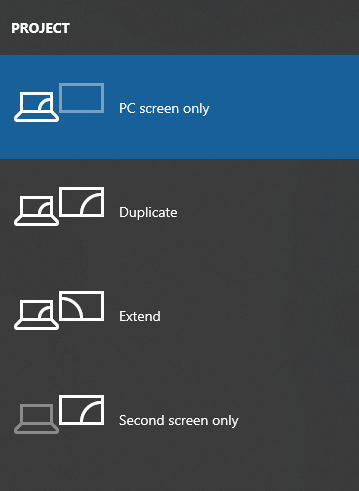
For Windows 10

For the second question: I didn't recognize the second monitor.
Firstly, ensure that your laptop type-C port supports video output and that the computer recognizes the 2 EDIDs.
- If it has 2 EDIDs, adjust the resolution. When using the hub with two monitors, you may need to reduce the resolution of the 4K monitor to 2K, and the other monitor can go beyond 1080P. You can go to Settings → System → Display to see what resolution is currently displayed (if it's not 4K but 2K or 1080, go to the bottom of the interface, Advanced Display Settings, look at the refresh rate and switch to 60HZ).
- If it has not recognized 2 EDIDs but the monitor connected directly to the laptop without problems, it may be a product problem; please get in touch with Support01@seloretech.com for a return or exchange.
Apologies for the product issue, and thank you for giving us a chance to help!
Selore&S-Global Customer Service
Judy
Please login to reply to this topic!
