I just receuived this docking station I ordered in Amazon.
I have a new Lenovo laptop.
I have an ACER monitor with DVI to DISPLAYPORT adapter.
This monitor is not detected by windows 11 when connected to the docking stations
But, I connected another ASUS monitor with HDMI to the HDMI input monitor and it works.
Please provide assistance
Thank you
Fausto
Hi @Fausto Bartra,
To confirm compatibility, could you provide the specific computer model or send us a picture of the model label located on the back of your computer?
Note: Our products are suitable for computers with Thunderbolt 3/4 or full-featured USB-C ports, or USB-C ports that support display output. As long as the above conditions are met, our products can be used for external displays, projectors, TVs, etc.
Best regards
Please find attached the photo of the laptop sticker with model #.
please let me know as soon as you can
Thank you
Fausto
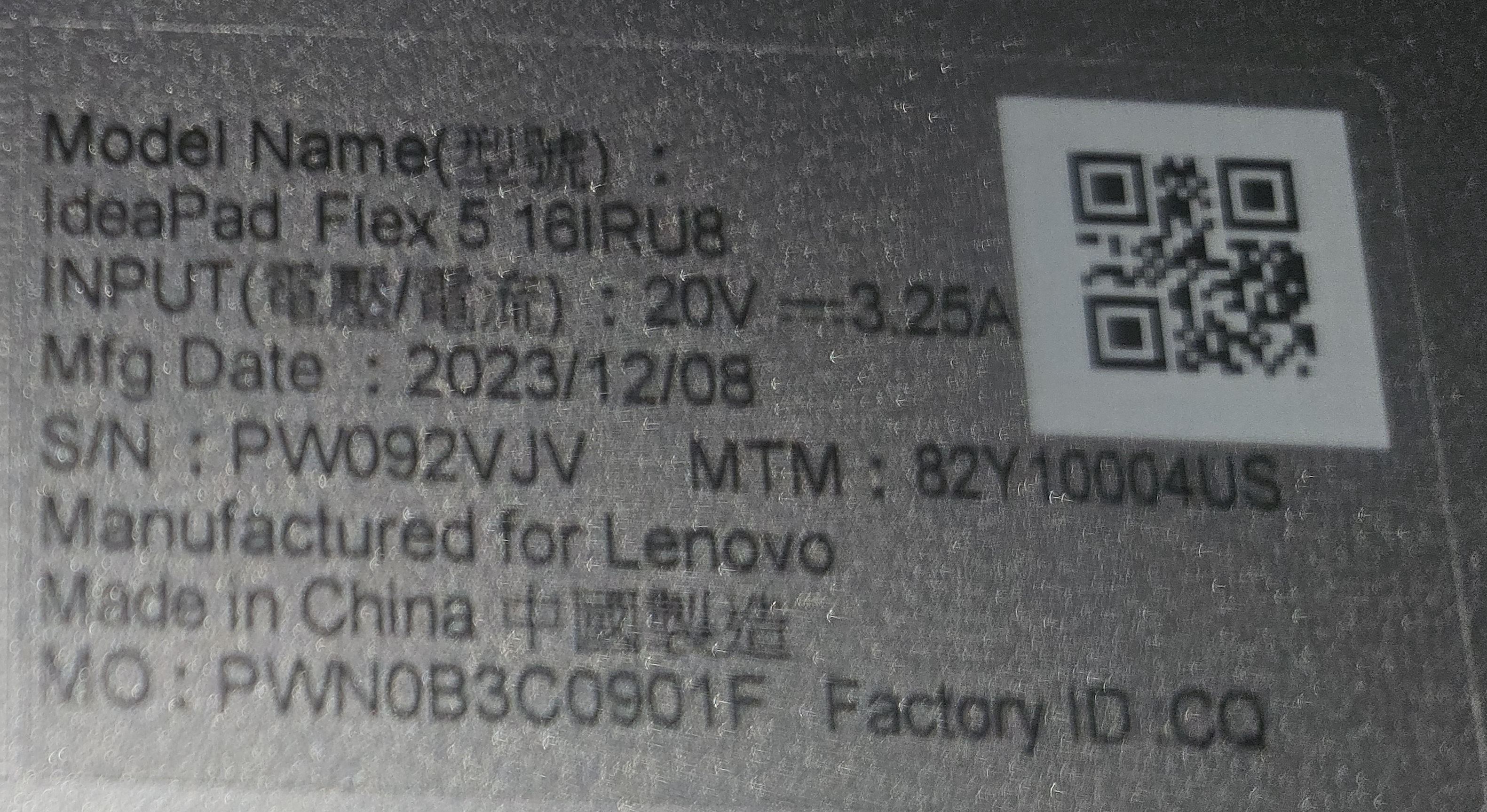
@Fausto Bartra
Thanks for the information.
There may be compatibility issues with secondary adapters. Therefore, we recommend to use DP-to-DP or HDMI-to-HDMI cables.
Additionally, you can try manually updating the graphics card drivers and upgrading software. You can download the update via the link below and follow the instructions in the file to complete the upgrade 👉 Click here to download
Note: This is only an attempt and may not necessarily resolve the issue. We generally do not recommend the use of secondary adapters.
Best regards
unfortunatly my monitor only has a DVI connector.
I will return this ducking station then
thank you
@Fausto Bartra
Okay, you can try manually updating the graphics card drivers and upgrading the firmware as mentioned above to see if it resolves the issue. If the problem persists, you can request to return the product.

